

The Importance of Cybersecurity for Websites: A Complete Guide to Online Protection
In today's digital world, websites have become essential tools for businesses, educational institutions, news organizations, e-commerce companies, and individuals. Websites allow organizations to communicate with customers, sell products, manage data, accept payments, and provide online services.
18 मिनट में पढ़ें
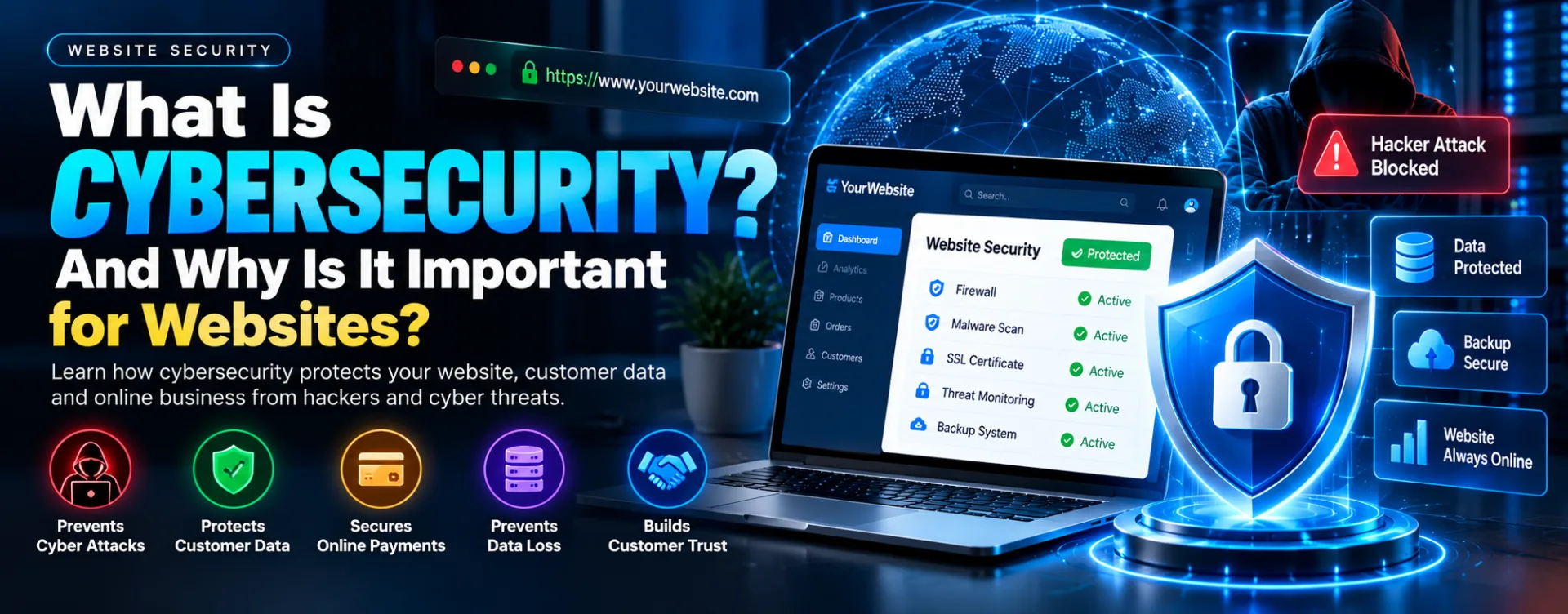
Introduction
In today's digital world, websites have become essential tools for businesses, educational institutions, news organizations, e-commerce companies, and individuals. Websites allow organizations to communicate with customers, sell products, manage data, accept payments, and provide online services. However, as digital activity increases, websites also face growing security risks.
Cybersecurity refers to the technologies, policies, and practices used to protect websites, servers, applications, networks, and digital information from unauthorized access, cyberattacks, data theft, and other online threats.
A website without adequate security can become a target for hackers, malicious software, phishing attacks, database breaches, and service disruptions. These incidents can lead to financial losses, reputational damage, customer complaints, and the exposure of sensitive information.
Therefore, cybersecurity is no longer an optional feature. It is a fundamental requirement for every organization that operates online.
1. What Is Website Cybersecurity?
Website cybersecurity is the process of protecting a website and its supporting infrastructure from digital threats. It includes securing the website's source code, server, database, administrative dashboard, APIs, user accounts, and communication channels.
A secure website aims to ensure three essential principles:
Confidentiality: Only authorized people and systems should be able to access sensitive information.
Integrity: Data should not be changed, deleted, or manipulated by unauthorized parties.
Availability: The website and its services should remain accessible to legitimate users.
These three principles form the foundation of information security. A website must protect its data, maintain accurate information, and remain available to customers whenever possible.
For example, an e-commerce website must protect customer accounts, prevent unauthorized changes to orders, and remain operational when customers want to purchase products.
2. Why Is Cybersecurity Important for Websites?
A. Protection Against Hackers and Unauthorized Access
One of the main purposes of website cybersecurity is to prevent unauthorized access. Attackers may attempt to exploit weak passwords, outdated software, vulnerable plugins, exposed administrative pages, or improperly configured servers.
If an attacker gains access to a website's administrative dashboard, they may be able to publish unauthorized content, create fraudulent accounts, change website settings, or access confidential information.
Strong authentication, multi-factor authentication, secure session management, restricted administrative permissions, and regular security updates help reduce these risks.
Website owners should also ensure that former employees and contractors no longer have access to systems they do not need.
B. Protection of Customer Information
Many websites collect personal information such as names, email addresses, phone numbers, delivery addresses, account details, and customer inquiries.
A security breach may expose this information to unauthorized individuals. The consequences can include identity theft, phishing attempts, financial fraud, and loss of customer confidence.
Organizations should collect only the information they genuinely need, restrict database access, encrypt sensitive information where appropriate, and establish clear data-retention policies.
Access to customer records should be limited to authorized personnel. Businesses should also understand their applicable privacy and data-protection obligations.
C. Secure Online Payments and E-Commerce Transactions
Cybersecurity is especially important for online stores because they handle orders, customer accounts, payment processes, and transaction records.
Attackers may target checkout pages, manipulate prices, exploit authentication weaknesses, or attempt fraudulent transactions.
A secure e-commerce website should use HTTPS, integrate a reputable payment gateway, validate prices and orders on the server, and protect administrative accounts.
Businesses should avoid storing payment-card information unnecessarily. Using a payment provider that supports appropriate security standards can reduce the amount of sensitive payment information handled directly by the website.
Fraud detection, transaction monitoring, and secure refund processes can provide additional protection.
D. Prevention of Malware and Malicious Code
Malware is software designed to perform harmful or unauthorized activities. A compromised website may be modified to distribute malicious files, redirect visitors to fraudulent pages, inject spam links, or steal information.
Attackers may introduce malicious code through vulnerable plugins, insecure file uploads, stolen credentials, or compromised third-party dependencies.
Website owners should maintain updated software, restrict file-upload types, scan suspicious files, monitor unexpected code changes, and investigate unusual website behavior.
If malware is discovered, simply deleting the visible malicious file may not be sufficient. The underlying entry point must also be identified and fixed.
E. Protection Against Data Loss
Website data may be lost because of cyberattacks, accidental deletion, software errors, hardware failures, or incorrect updates.
Without reliable backups, a business may lose customer records, product information, published articles, images, configuration files, and transaction history.
A strong backup strategy includes regular automated backups, protected backup storage, defined retention periods, and periodic restoration tests.
Backups should be protected from unauthorized access. Keeping at least one backup separate from the main production environment can help reduce the risk of an attacker deleting both the website and its recovery data.
F. Maintaining Customer Trust
Customers expect websites to handle their information responsibly. If a website exposes personal data or repeatedly experiences security incidents, customers may stop using its services.
Trust is particularly important for financial services, e-commerce platforms, membership portals, news websites, and customer-management systems.
Visible security indicators, transparent privacy policies, reliable account protection, and prompt communication during incidents can help establish confidence.
However, displaying a security badge or HTTPS symbol alone does not prove that an entire website is secure. Effective security depends on the underlying technical controls and operational practices.
3. Common Cybersecurity Threats Faced by Websites
Websites face several types of cyber threats. Understanding them helps organizations identify weaknesses and adopt appropriate safeguards.
A. SQL Injection
SQL injection occurs when an application handles untrusted input in a way that allows it to interfere with database queries.
Depending on the vulnerability and database permissions, an attacker may be able to read, modify, or delete data.
Developers should use parameterized queries, secure database access controls, server-side input validation, and properly configured permissions.
B. Cross-Site Scripting (XSS)
Cross-site scripting is a vulnerability that allows malicious scripts to execute in another user's browser through a vulnerable website.
An XSS attack may be used to manipulate website content or interact with a user's session, depending on the circumstances.
Developers should apply context-appropriate output encoding, sanitize permitted HTML, use safe rendering practices, and implement a suitable Content Security Policy as an additional defensive measure.
C. Brute-Force and Credential-Stuffing Attacks
In brute-force attacks, an attacker repeatedly attempts to guess login credentials. Credential stuffing uses previously exposed username and password combinations against other services.
Weak passwords and password reuse increase the risk of account compromise.
Protection measures include multi-factor authentication, rate limiting, login monitoring, breached-password screening, and secure account-recovery procedures.
D. Distributed Denial-of-Service (DDoS) Attacks
A distributed denial-of-service attack attempts to overwhelm a website or its supporting infrastructure with traffic or requests, making the service difficult or impossible to access.
DDoS attacks can affect business operations, online sales, publishing schedules, and customer support.
Organizations can reduce the impact by using suitable hosting infrastructure, DDoS protection services, traffic filtering, content delivery networks, and incident-response procedures.
E. Phishing and Social Engineering
Not every cyberattack begins with a technical vulnerability. Attackers may trick employees or administrators into revealing passwords, approving unauthorized access, or opening malicious attachments.
Phishing messages can imitate hosting providers, payment services, business partners, or company executives.
Staff awareness training, multi-factor authentication, verification of unusual requests, and secure account-recovery procedures help reduce these risks.
F. File Upload Vulnerabilities
Websites that accept profile pictures, documents, videos, or other uploads may be exposed if files are not handled safely.
An attacker may attempt to upload an executable file disguised as an image or exploit a vulnerability in the software that processes uploaded content.
Secure implementations should validate files on the server, restrict allowed formats and file sizes, generate safe filenames, scan files where appropriate, and store uploads outside executable locations.
G. Outdated Software and Vulnerable Dependencies
Websites often rely on frameworks, libraries, plugins, themes, and third-party packages. If these components contain known vulnerabilities, attackers may exploit them.
Website owners should maintain an inventory of dependencies, apply security updates, remove unused components, monitor vulnerability advisories, and test important updates before deployment.
H. API Security Vulnerabilities
Modern websites commonly use APIs to communicate with mobile applications, databases, payment systems, and external services.
Poorly secured APIs may expose private records, permit unauthorized actions, or allow users to access data belonging to other accounts.
API protection requires proper authentication, object-level authorization, input validation, rate limits, secure error handling, and monitoring.
4. Essential Security Features Every Website Should Have
A comprehensive security strategy combines several protective measures rather than relying on a single tool.
HTTPS and SSL/TLS Encryption
HTTPS protects data exchanged between a visitor's browser and the website through TLS encryption. It helps prevent unauthorized parties from reading or modifying information in transit.
Every public-facing website should use a valid TLS certificate and redirect HTTP traffic to HTTPS where appropriate.
HTTPS does not, by itself, protect a website from vulnerable code, compromised accounts, or insecure databases.
Strong Authentication and Multi-Factor Authentication
Administrative accounts often have powerful permissions, making them attractive targets.
Website administrators should use unique passwords, a password manager, and multi-factor authentication. Sensitive operations may require additional verification.
Businesses should also disable unused accounts and review administrative access periodically.
Role-Based Access Control
Role-based access control limits what each user can view or change.
For example, a news portal may have separate roles for writers, editors, publishers, and administrators. A writer may be allowed to draft articles without being permitted to change payment settings or manage administrator accounts.
Permissions should follow the principle of least privilege: every user receives only the access required to perform their responsibilities.
Web Application Firewall
A web application firewall (WAF) examines web traffic and can block or challenge certain suspicious requests.
Depending on its configuration and capabilities, it may help mitigate common web attacks, automated abuse, and malicious request patterns.
A WAF is a useful defensive layer, but it cannot replace secure application development or proper authorization checks.
Database Security
Databases often contain some of a website's most valuable information.
Database security includes strong credentials, restricted network access, least-privilege permissions, secure connections, encryption where appropriate, and regular backups.
Applications should not connect to databases using highly privileged administrative accounts when more limited permissions would be sufficient.
Database access policies should be tested to confirm that users cannot retrieve or modify records they are not authorized to access.
Secure API Keys and Environment Variables
API keys, database passwords, and secret tokens must not be exposed in public source code, browser-delivered JavaScript, public repositories, or client-side environment variables.
Sensitive credentials should be stored in secure server-side environment variables or an appropriate secrets-management service.
If a secret is exposed, it should be revoked or rotated, and the exposure should be investigated.
Logging and Security Monitoring
Security logs help identify unusual activity, including repeated failed logins, unexpected administrative changes, suspicious API requests, and unauthorized access attempts.
Monitoring becomes more useful when alerts are configured for significant events and logs are protected from unauthorized modification.
Organizations should avoid recording passwords, authentication tokens, or unnecessary personal information in logs.
Regular Backups and Recovery Testing
Backups are essential for business continuity. They should cover important website files, databases, and necessary configuration information.
A backup is useful only if it can be restored successfully. Organizations should periodically test their recovery process and establish recovery-time and recovery-point objectives appropriate to the business.
5. Cybersecurity for Different Types of Websites
Different websites have different security requirements. The correct controls depend on the information stored, the services provided, and the potential impact of a compromise.
A. Business Websites
A business website may contain inquiry forms, contact information, service descriptions, and administrative accounts.
Recommended protections include HTTPS, secure administrative access, spam prevention, form validation, regular software updates, backups, and monitoring.
Even a simple website should not be treated as risk-free, particularly if it connects to email systems, customer databases, or third-party services.
B. E-Commerce Websites
An e-commerce website processes orders and customer information and may integrate with payment gateways, inventory systems, and shipping services.
Important protections include secure checkout, server-side order validation, payment-provider integration, fraud monitoring, restricted administrative access, and careful handling of customer data.
Businesses should also protect discount codes, refund operations, inventory updates, and account-recovery processes from unauthorized manipulation.
C. News Portals
News websites may have several dashboards for writers, editors, publishers, advertisers, and administrators.
Their security requirements include role-based permissions, secure publishing workflows, protection against unauthorized article changes, audit logs, backups, and controls against spam or malicious uploads.
A compromised news portal can affect editorial integrity and public trust, especially when attackers publish false information or replace legitimate content.
D. CRM and Customer Management Platforms
Customer relationship management systems may store contact details, sales leads, communications, payment statuses, and business records.
These platforms require strong user authentication, strict record-level authorization, audit trails, secure APIs, data minimization, and carefully controlled exports.
Access controls must be enforced by the backend rather than relying solely on hiding buttons or pages in the user interface.
E. SaaS and Membership Platforms
Software-as-a-Service platforms and membership websites may contain private user accounts, subscription information, files, and organization-specific data.
A critical requirement is tenant isolation: one customer or organization must not be able to access another customer's records.
Developers should test authorization boundaries carefully, secure session management, monitor suspicious account activity, and provide appropriate administrative controls.
6. Website Cybersecurity for Modern Technology Stacks
Websites built with modern frameworks and cloud services also require careful configuration.
For example, a website built with Next.js, Supabase, and Vercel should consider the following protections:
Next.js application security
Keep framework versions and dependencies updated.
Validate and authorize sensitive operations on the server.
Protect server actions and API routes.
Apply appropriate security headers and safe cookie settings.
Avoid exposing private environment variables to client-side code.
Supabase security
Enable and correctly configure Row Level Security (RLS) on tables exposed through the API.
Create policies that restrict access according to authenticated users and their permissions.
Never expose the service-role key in browser code.
Review Storage bucket policies and permissions.
Use appropriate authentication, database backups, and audit capabilities.
Vercel and deployment security
Protect deployment accounts with multi-factor authentication.
Restrict access to production deployments and environment variables.
Review deployment permissions and preview environments.
Monitor application logs and suspicious traffic.
Keep production and development secrets appropriately separated.
These measures are examples rather than a complete security checklist. The correct configuration depends on the application's architecture and the sensitivity of its data.
7. The Role of Artificial Intelligence in Cybersecurity
Artificial intelligence is increasingly being used to support security monitoring and threat detection.
AI-assisted tools can help identify unusual login patterns, analyze large volumes of logs, classify suspicious messages, prioritize alerts, and identify potentially vulnerable software components.
For example, an unusual login location combined with repeated failed attempts may warrant additional verification. Automated systems can flag this activity for investigation.
However, AI systems can produce false positives and miss genuine attacks. They may also introduce privacy, data-quality, and security concerns if deployed carelessly.
AI should support a broader security program that includes secure development, human oversight, tested controls, and a documented incident-response process.
8. What Is a Website Security Audit?
A website security audit is a structured assessment of a website's security controls, configuration, code, dependencies, and operational practices.
The purpose is to identify weaknesses before they result in a security incident.
A typical audit may include:
Reviewing HTTPS configuration and security headers.
Examining authentication and password policies.
Checking user roles and access permissions.
Reviewing database and API security.
Identifying outdated libraries and vulnerable dependencies.
Testing input validation and common application vulnerabilities.
Checking backup and recovery procedures.
Reviewing security logs and incident-response readiness.
Examining file-upload functionality and storage permissions.
Documenting findings, risk levels, and recommended fixes.
Security testing should be performed only on systems for which the tester has explicit authorization. High-impact tests should be planned carefully to avoid disrupting production services.
An audit is not a guarantee that a website is completely secure. Security must be maintained as software, threats, and business requirements change.
9. A Practical Website Security Maintenance Plan
Cybersecurity should be an ongoing operational responsibility.
Daily or continuous
Monitor critical security alerts.
Review important authentication and application events.
Maintain availability and error monitoring.
Weekly
Review suspicious account activity.
Check backup status.
Investigate unusual traffic or administrative changes.
Monthly
Review software and dependency updates.
Check user accounts and permissions.
Review security configurations and known vulnerabilities.
Quarterly
Test backup restoration.
Review incident-response procedures.
Assess third-party services and access permissions.
Perform an appropriate security assessment based on the website's risk.
After a major change
Review security after adding payment features, new APIs, file uploads, new administrative roles, or significant infrastructure changes.
This schedule should be adjusted to the website's size, threat exposure, and regulatory obligations. Critical vulnerabilities may require immediate action rather than waiting for a routine review.
10. What Should You Do If Your Website Is Hacked?
If a website is compromised, a quick and organized response can limit the damage.
Step 1: Contain the incident. Restrict affected access or isolate compromised components where appropriate. Preserve evidence before making changes that could destroy useful investigation data.
Step 2: Protect privileged accounts. From a trusted device, secure administrative and hosting accounts, revoke suspicious sessions, and rotate exposed credentials and secrets.
Step 3: Investigate the entry point. Review logs, recent code changes, dependencies, administrative activity, and suspicious files to determine how the compromise occurred.
Step 4: Remove the vulnerability. Clean affected components, update vulnerable software, fix insecure permissions, and address the original cause.
Step 5: Restore from a trusted backup if needed. Verify that the backup is clean and that the vulnerability has been corrected before restoring normal service.
Step 6: Monitor the website. Check for recurring suspicious activity and confirm that security controls are working.
Step 7: Assess notification obligations. Determine whether personal information was exposed and whether affected individuals, business partners, regulators, or other authorities must be notified under applicable laws.
For a serious incident, professional incident-response assistance may be necessary.
11. Is Cybersecurity Expensive for Small Businesses?
Cybersecurity costs vary according to the website's complexity, the sensitivity of its information, hosting arrangements, and the required level of monitoring.
Basic protections can often be implemented using existing hosting features, secure coding practices, automatic updates, and reliable backup tools. More complex websites may require paid security services, professional audits, dedicated monitoring, or incident-response support.
A useful approach is to prioritize controls according to risk rather than purchasing every available security product.
For example, a small business website may initially prioritize HTTPS, multi-factor authentication, secure backups, updates, and restricted administrative access. An e-commerce platform or CRM handling sensitive customer records will generally require stronger controls.
The cost of prevention should be evaluated against the potential cost of downtime, data loss, fraud, incident response, and reputational damage.
12. Legal and Regulatory Responsibilities in India
Organizations operating in India should understand the laws and regulatory requirements applicable to their activities and the personal information they process.
Relevant frameworks may include the Information Technology Act, 2000, applicable rules and directions, and the Digital Personal Data Protection Act, 2023, together with applicable rules, commencement notifications, and other requirements in force at the relevant time.
Certain sectors, such as financial services, may also be subject to additional requirements.
Businesses should assess which provisions apply to their operations, how personal data is collected and used, what safeguards are required, and whether a particular incident triggers reporting or notification duties.
Legal compliance and technical security are related but distinct: meeting a legal requirement does not automatically eliminate technical vulnerabilities.
13. Best Practices for Website Owners and Developers
To build and maintain a more secure website, organizations should follow these core practices:
Use HTTPS across the website.
Enforce multi-factor authentication for privileged accounts.
Apply the principle of least privilege.
Keep software, frameworks, and dependencies updated.
Validate user input and use secure database queries.
Protect APIs and enforce server-side authorization.
Store secrets securely and rotate exposed credentials.
Configure database and file-storage permissions correctly.
Maintain protected backups and test restoration.
Monitor logs and investigate suspicious activity.
Test important security controls after major changes.
Train employees to recognize phishing and social engineering.
Establish a documented incident-response plan.
Collect and retain only the personal information that is necessary.
Review third-party services and access permissions regularly.
No single measure can eliminate every threat. A layered security strategy reduces the likelihood and potential impact of an incident.
Conclusion
Cybersecurity is a fundamental part of building a reliable and trustworthy website. It protects business operations, customer information, digital assets, and the reputation of an organization.
As websites become more interactive and connected to databases, payment systems, cloud services, and artificial intelligence tools, their security requirements also become more complex.
Website owners should not wait until an attack occurs before investing in protection. By implementing secure authentication, proper access controls, HTTPS, database security, software updates, monitoring, and tested backups, organizations can significantly improve their security posture.
For developers and businesses, the goal should not simply be to launch a website but to maintain it securely throughout its lifecycle.
A secure website protects more than technology. It protects customer trust, business continuity, and the long-term credibility of an organization.